
From folder to site
What happens between your change and the page.
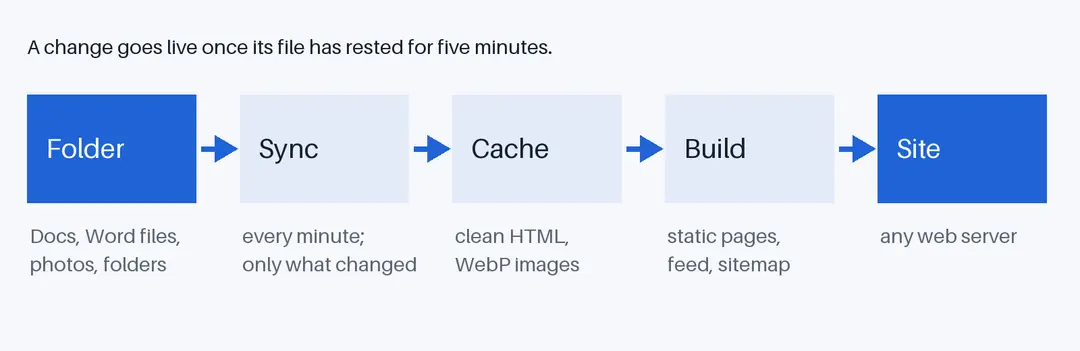
A typo, fixed
At 10:00 you fix a typo in a document. At 10:01 Foldocs sees the change, and waits. At 10:05 nobody has touched the document for five minutes, so Foldocs fetches it, converts it and rebuilds what it changed. At 10:06 the page is fixed. You did nothing but type.
1. Check, every minute
Foldocs lists the folder once a minute: every file's name, place, dates and description. Nothing is downloaded unless it changed.
2. Let it rest
Google Docs saves as you type, so a changed file waits until it has been left alone for five minutes. A half-written sentence never goes online. Restarting Foldocs publishes everything at once.
3. Convert, and keep
A changed document is exported as HTML with its images, rebuilt from a short list of allowed elements, and kept in a cache with its images in five sizes. A Word file goes the same way.
4. Build
From the cache, Foldocs writes the whole site as plain files: a page per document, folder and photo, plus the feed, the sitemap and the variants. Only files that changed are rewritten.
5. Serve
Any web server can serve the result. Foldocs comes with a small container that does, and lets browsers keep images for good, as their names change with their content.
No database, no admin panel, no plug-ins: the folder is the source, the site a copy.