
Colors and fonts
Set in a table in a document, and kept in every theme.
Put a document called design next to your folders, with a table in it, and fill in the settings you want to change. This site's blue is set this way. An empty cell keeps the theme's value.
| Setting | Light | Dark | What it changes |
|---|---|---|---|
| Accent | #1f63d6 | #6ea2ff | Links, buttons, numbers, the marks that stand out |
| Background | The page; panels, bands and borders follow | ||
| Text | The text; secondary text follows | ||
| Heading font | Titles and headings | ||
| Body font | Running text | ||
| UI font | Menus, labels, dates | ||
| Corners | Rounding of images, cards and buttons |
Colors
Any color, as a hex code like #1f63d6. The Dark column is for visitors whose device is in dark mode; leave it empty, and the theme's dark colors stay. Choose a background and a text color, and the softer shades for panels, borders and secondary text follow from them.
Fonts
Any family on Google Fonts: type its name, or paste the link to its page. Foldocs downloads the font once and serves it from your site, so visitors' browsers don't contact Google. End the list with serif, sans-serif or monospace to set what shows while the font loads.
Three examples
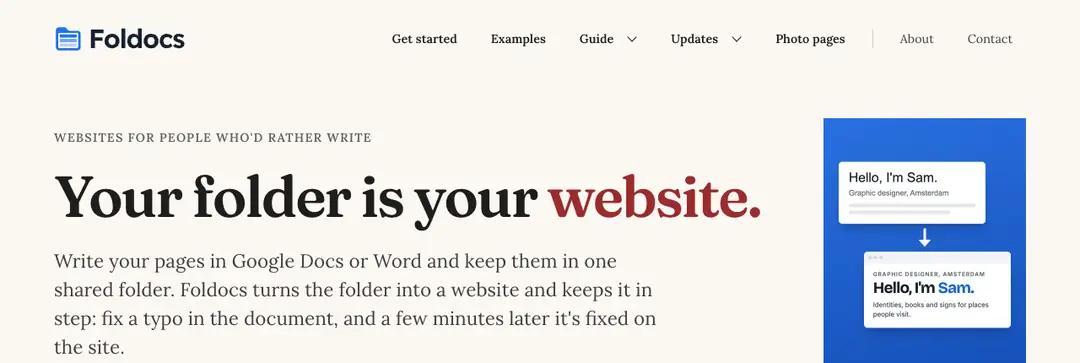
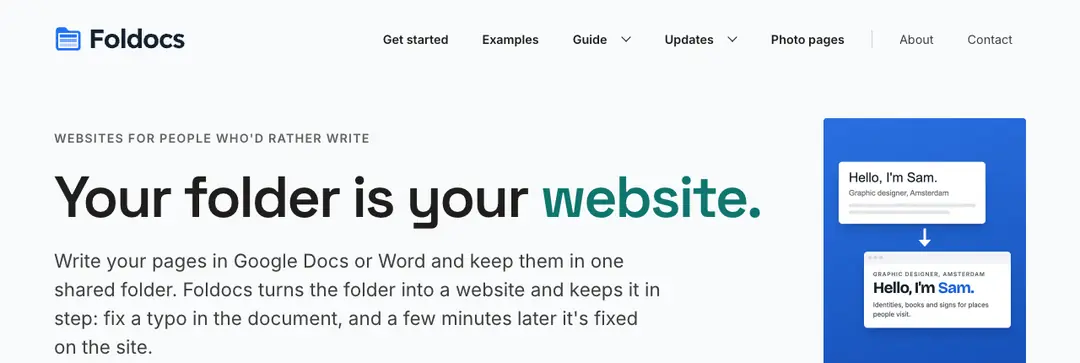
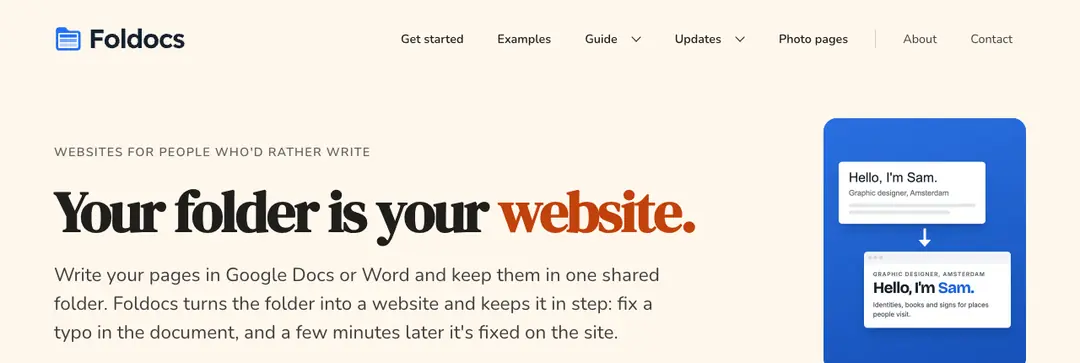
| Editorial | Technical | Warm | |
| Accent | #9b2c2c | #0f766e | #c2410c |
| Background | #fbf8f3 | #f8fafc | #fff7ed |
| Heading font | Fraunces, serif | Space Grotesk | DM Serif Display, serif |
| Body font | Lora, serif | Inter | Nunito |
| Corners | 0 | 4px | 16px |
Editorial: Fraunces and Lora on warm paper, a deep red, square corners.
Technical: Space Grotesk and Inter on cool white, teal, slightly rounded.
Warm: DM Serif Display and Nunito on cream, burnt orange, soft round corners.
Copy a column into your design document (the Light cells), and the site changes a few minutes later. Every value is checked first; an invalid one is skipped, and the theme's value stays.
And themes
The same settings work in every theme, so changing theme keeps your colors and fonts. A theme of your own can change anything else.