
Start here
How a folder becomes a site.
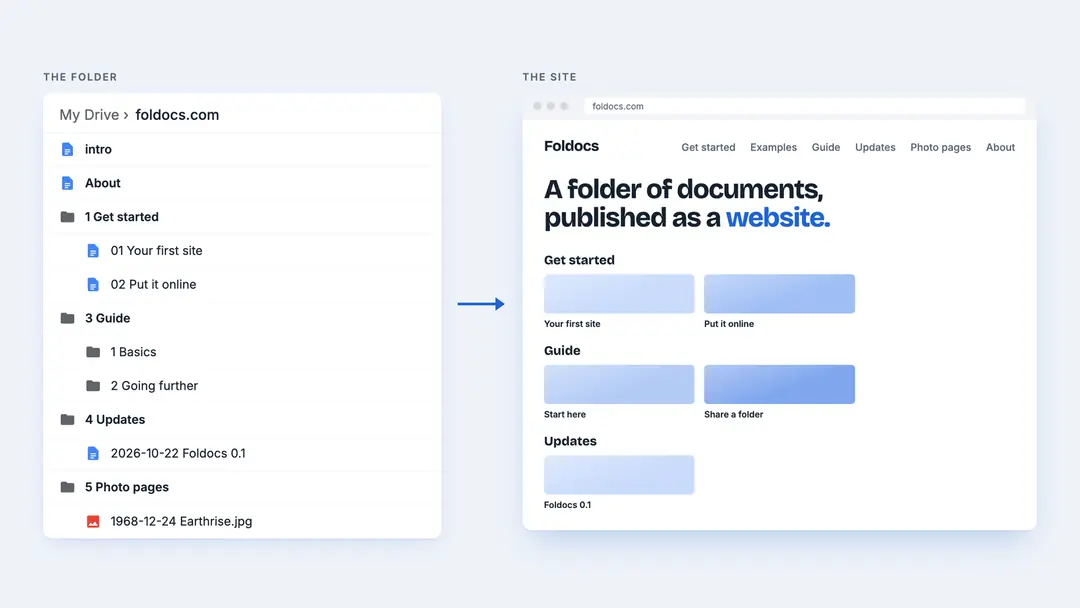
Foldocs is short for folder of documents. You share a folder in Google Drive or Nextcloud, and every folder in it works the same way:
- A document called
introopens the folder's page. In the shared folder, that is your home page: its headline and introduction. In a folder in it, that section's page. - Every other document adds a page. Next to your folders, a page in the menu, like About or Contact. In a folder, one of its pages: a post, a project, a note.
- Every folder adds a section, with a page of its own. A folder in a folder is a subsection, and works the same way again.
- A photo next to your folders is your portrait; in a folder, a page of its own.
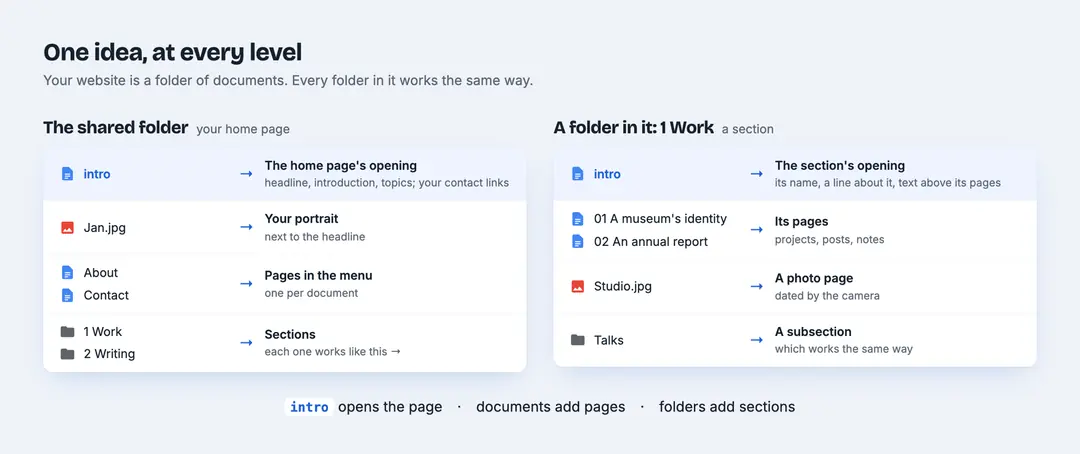
One more name: a document called design, next to your folders, sets the site's colors and fonts. Neither intro nor design is a page itself.
This site is a folder
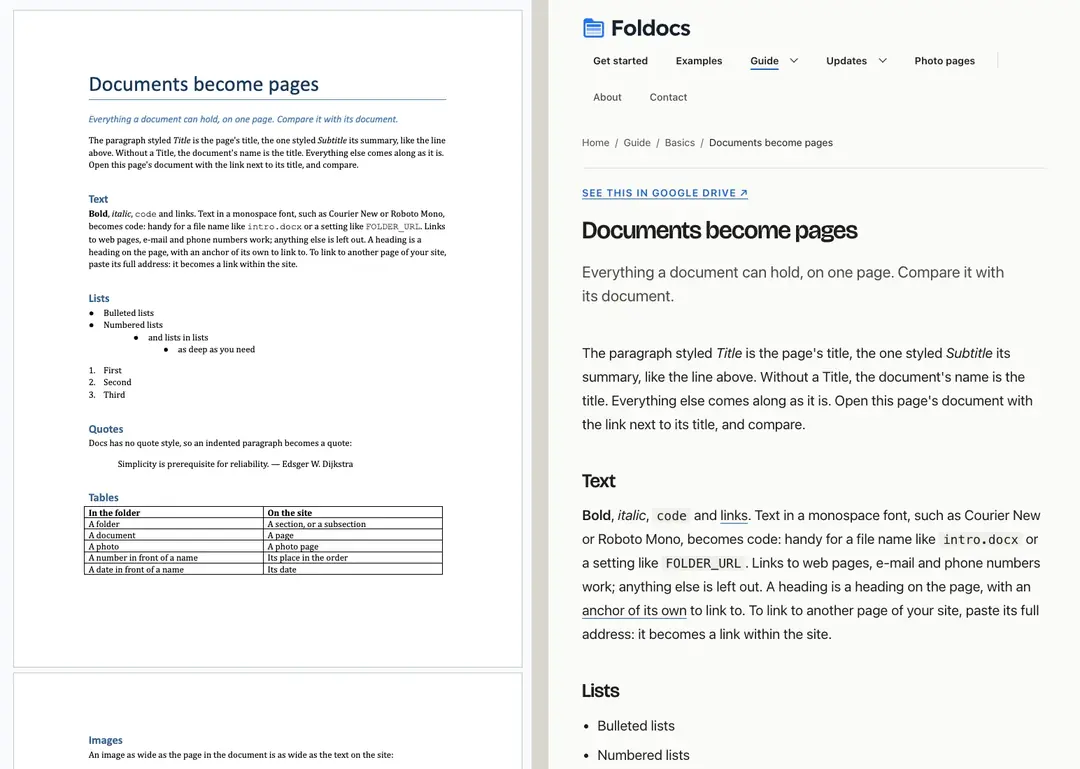
Everything on foldocs.com is a file in one public Google Drive folder. Foldocs checks the folder every minute and rebuilds what changed. Below, on the left, a Google Doc from that folder; on the right, the page made from it.
How a change reaches the site
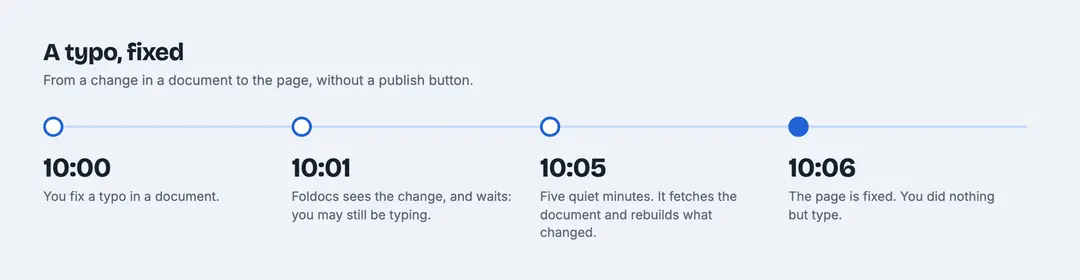
Google Docs saves while you type, so Foldocs waits until a file has been left alone for five minutes, and an edit in progress isn't published. It then fetches the file, converts it and rebuilds the pages it affects.
The basics
- Share a folder: setting up the folder, and what public means
- Folders become sections: structure, order and the home page
- Documents become pages: what a page can contain
- Photos and images: photo pages and image sizes
Going further
- Colors and fonts: set in a table in a document
- Themes: other layouts for the same folder
- Search and sharing: search engines, link previews and the feed
- How it works: from a change in the folder to the page on the site
Making a site
Make a folder and share it with a link. Put a document called intro in it, and a folder with a document in it. Your first site goes through it step by step.